
If there are only 2 vocal models listed in the Metamorph Vocal Model Browser, it is likely that the separate vocal models file was not installed.
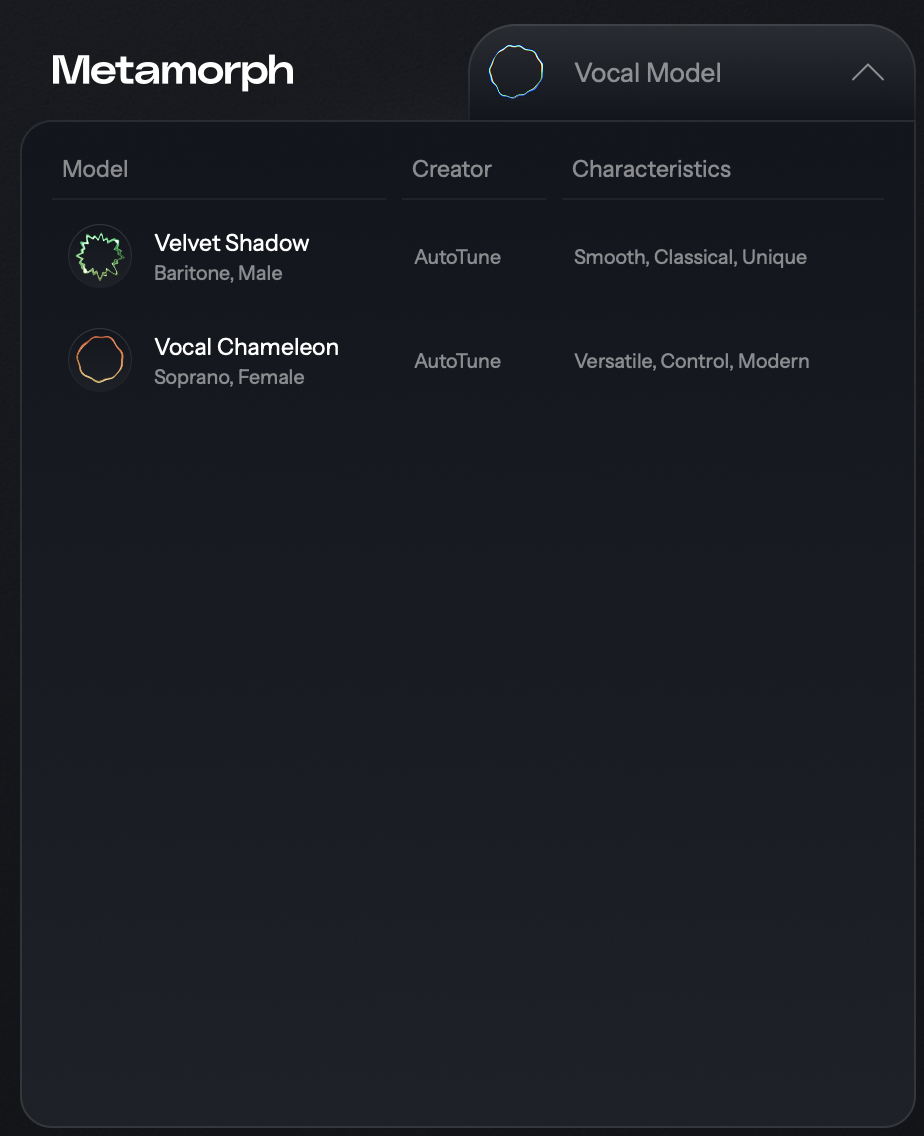
You can download and install the rest of the vocal models in Auto-Tune Central by following the steps below:
- Open Auto-Tune Central and log in
- Navigate to the Plug-Ins tab
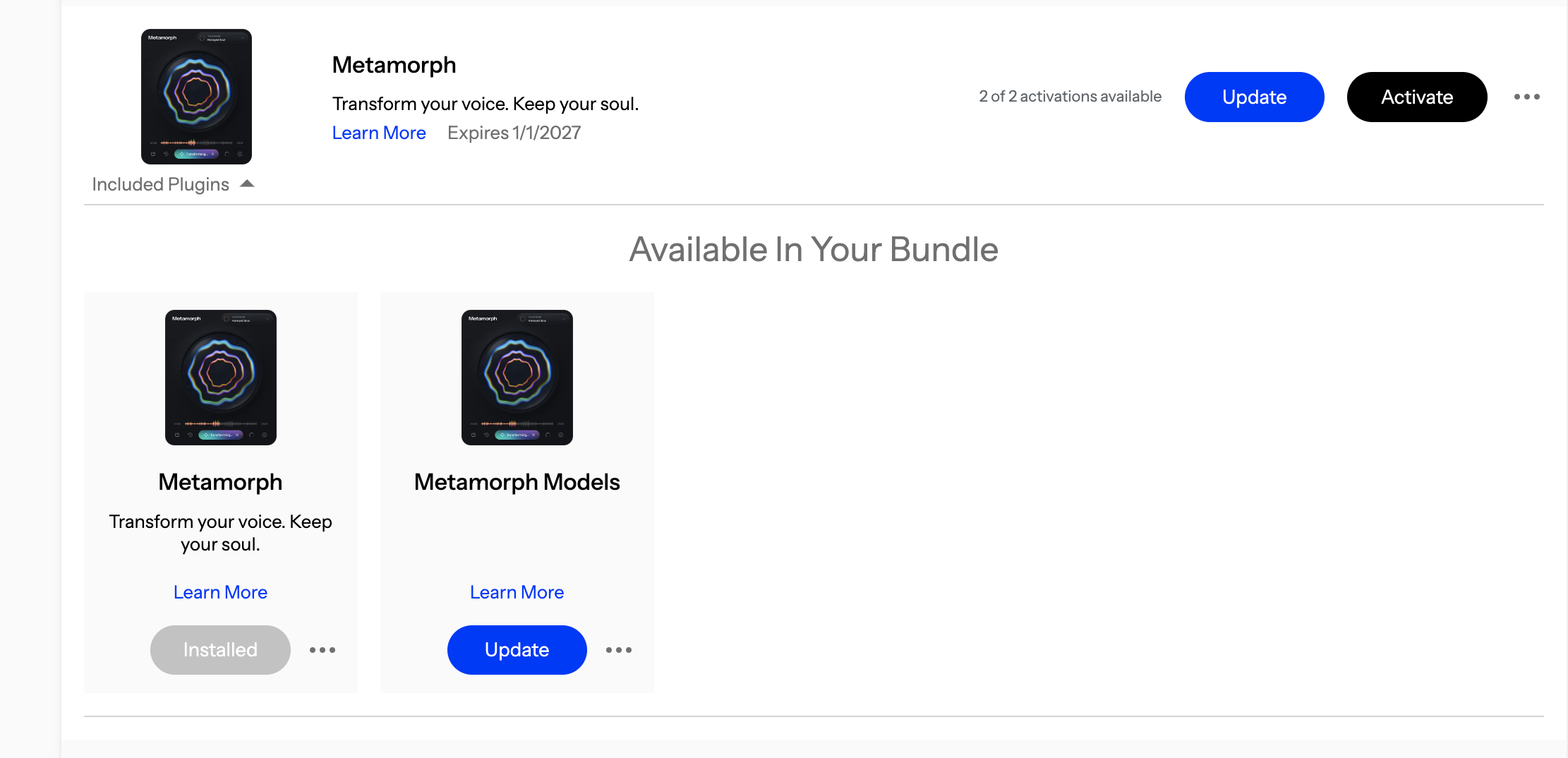
- Find your license for Metamorph:
- For Auto-Tune Unlimited subscribers: your license will be listed in the "Included Plugins" dropdown menu
- For perpetual license owners: open the "Included Plugins" dropdown menu on Metamorph
- Click the Install/Update button under Metamorph Models
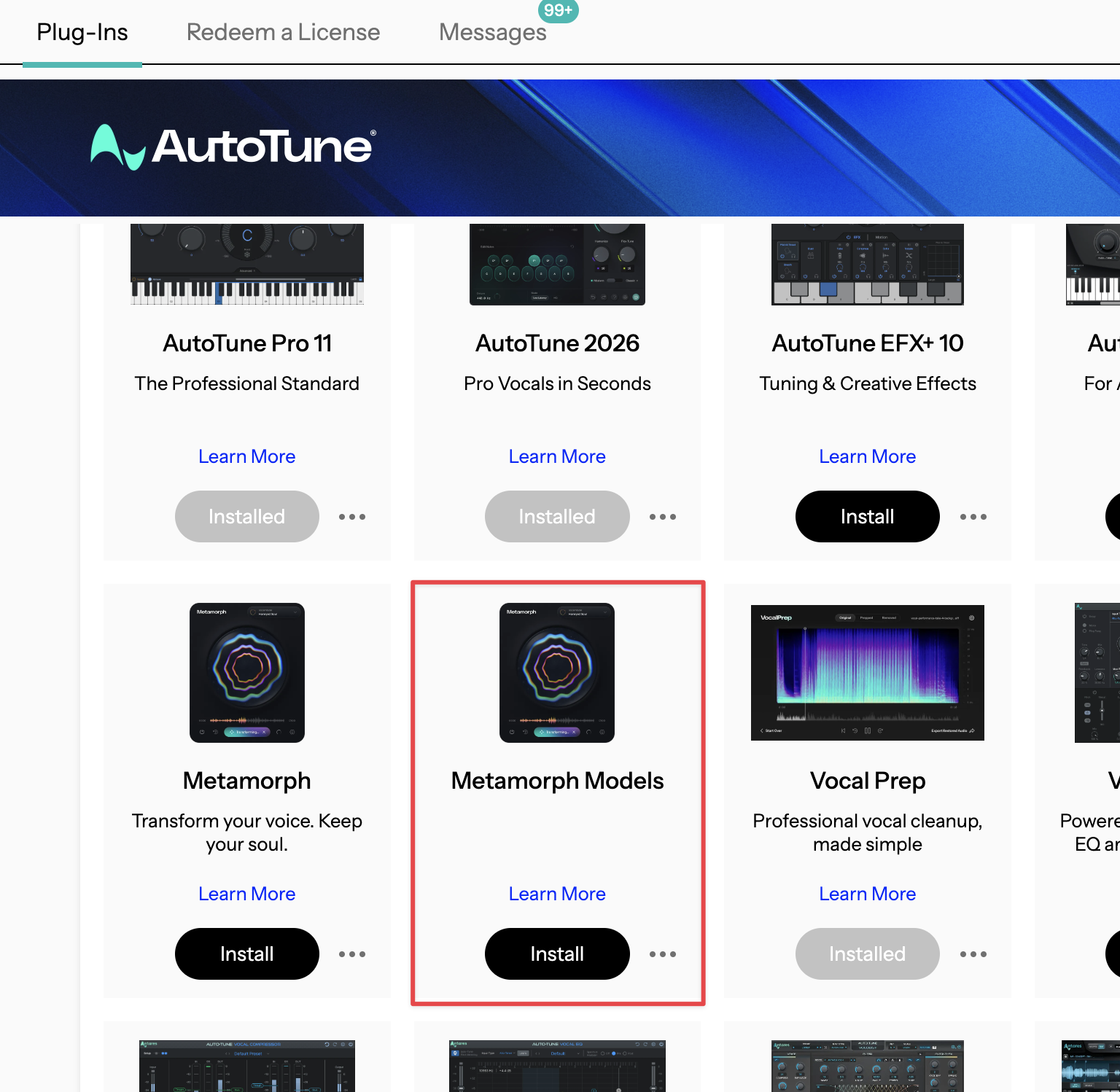 .
. 
- Once the installation is complete, restart your DAW, and reopen Metamorph
If the issue persists after completing these steps, please contact our Customer Success team here.
Comments
0 comments
Article is closed for comments.