
This article will teach you how to open Auto-Tune Pro as an ARA2 plug-in in Cubase.
Background
Audio Random Access (ARA) increases the amount of communication possible between a DAW and a plug-in, allowing them to exchange more information, such as audio data, tempo, pitch, and rhythm, for an entire song, rather than just at the moment of playback.
The increased amount of information exchange removes the need for audio material to be transferred to & from the plug-in. What this means for you, is that ARA allows a plug-in to be used as a more closely integrated part of the DAW's overall interface.
Compatibility Information
Please note that Cubase 12 is ARA compatible with Auto-Tune Pro X and later, while Cubase 13 and 14 requires Auto-Tune Pro 11 and later.
How to Open an ARA2 Plug-in in Cubase
When using ARA in Cubase, Auto-Tune Pro will be instantiated directly onto an audio event instead of on the channel strip. To do this, please follow the steps below:
- Click on the desired audio event with the Object Selection tool:

- On the Info Line, click Extension:
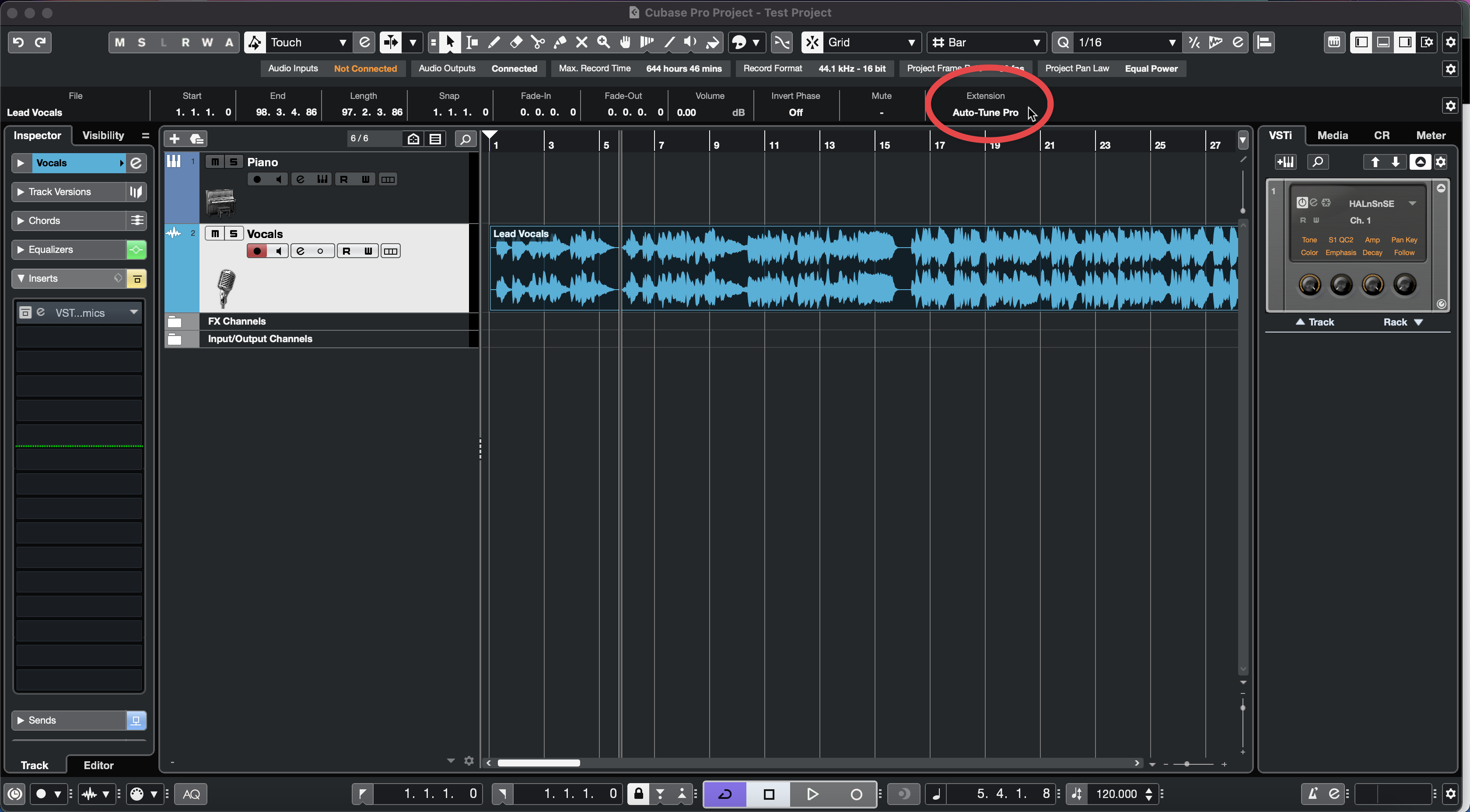
- Select Auto-Tune Pro from the dropdown list:
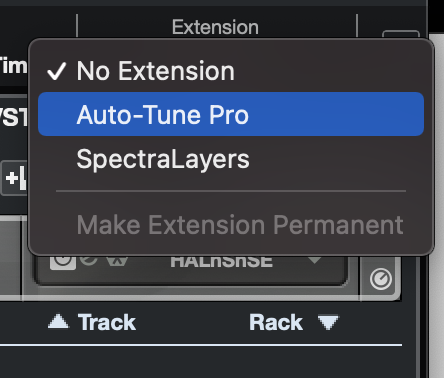
After opening Auto-Tune Pro as an ARA plug-in, all of the audio data from the selected event will be transferred to the plug-in instantaneously.
Now that you're using Auto-Tune Pro as an ARA2 plug-in, we hope you enjoy the convenience of its tighter integration with Cubase! If you have any questions or run into any issues, feel free to contact our Customer Success team here.
Comments
0 comments
Article is closed for comments.