
This article walks you through a workaround to track multiple regions using an ARA2 instance of Auto-Tune Pro.
Automatic and instantaneous audio tracking is one of the benefits of opening Auto-Tune Pro as an ARA2 plug-in in Logic Pro. However, if a single track contains more than one region, such as the one pictured below, only one region can be loaded at a time. 
To resolve this issue, please open the Multi-View dropdown list, and select subsequent regions of the same track to load their audio into Auto-Tune Pro. 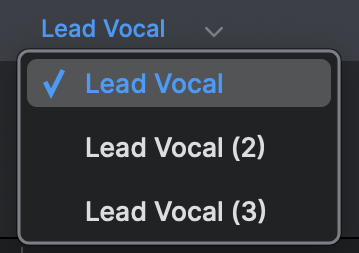
Please note this is a temporary workaround while we work to resolve this issue. If you have any questions, please reach out to our support team here.
Comments
0 comments
Article is closed for comments.