
DAW error message: Out of place engine initialization failed
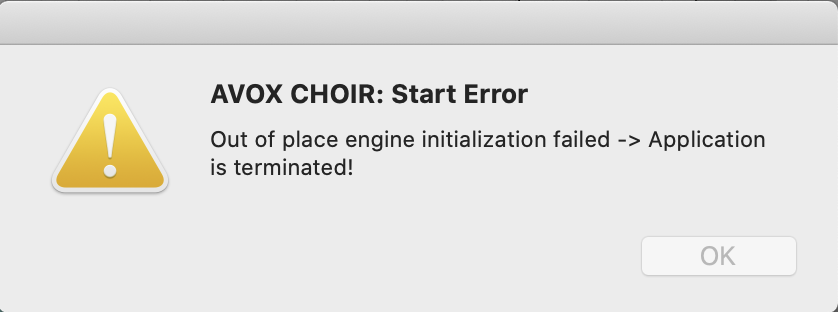
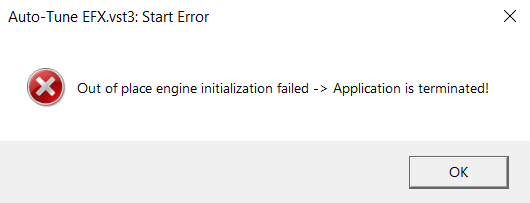
An “Out of place engine initialization failed -> Application is terminated!” error message may crash your DAW when instantiating an Antares plug-in. In many cases, this error message can be resolved by simply restarting your computer.
If you still receive this error message after restarting, please uninstall and reinstall your plug-in(s). To do that, please follow these steps:
Mac
- Run the uninstall .command file located in this file path: Applications/Antares Audio Technologies
- Navigate to the folders below and delete any remaining Antares plug-in files
- /Library/Audio/Plug-Ins/Components
- /Library/Audio/Plug-Ins/VST
- /Library/Audio/Plug-Ins/VST3
- /Library/Application Support/Avid/Audio/Plug-Ins
- Empty the Trash bin
- Restart your computer
- Download and reinstall your plug-in here
Windows
- Right-click the Start menu and choose Apps and Features
- Locate your Antares plug-in and uninstall it
- Navigate to the folders below and delete any remaining Antares plug-in files:
- C:\Program Files\Common Files\Avid\Audio\Plug-Ins
- C:\Program Files\Common Files\VST2
- C:\Program Files\Common Files\VST3
- Empty the recycle bin
- Restart your computer
- Download and reinstall your plug-in here
This should resolve the issue, but please contact our support team here if you have any more questions.
Comments
0 comments
Article is closed for comments.