
This article will show you how to open external plug-ins in AU (Audio Units) format, such as Antares Auto-Tune, in GarageBand 10 on macOS.
1. Click on the “Smart Controls” button in the upper left corner of the GarageBand window. This opens up the “Smart Controls” window at the bottom of the GarageBand window.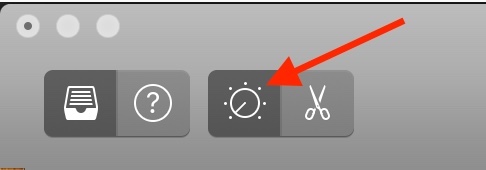
2. Click on the "Plug-ins" drop-down arrow in the Smart Controls window. Then click and hold on a plug-in slot to open the plug-ins menu.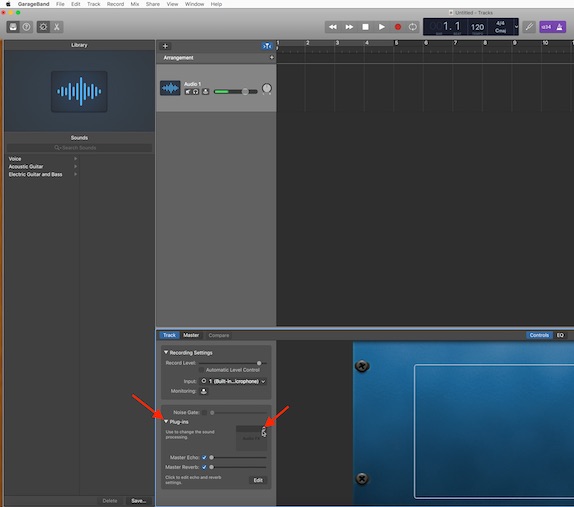
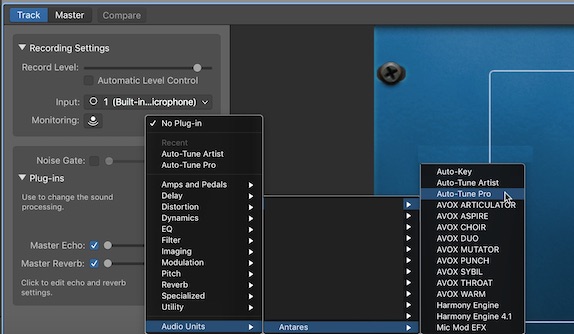
3. Move your mouse cursor to the bottom of the list and hover over “Audio Units.” This will reveal additional menus of plug-ins organized by the manufacturer. Select your Antares plug-in from the list.
Comments
0 comments
Article is closed for comments.