
This article walks you through a solution for the "Not a valid 64-bit AAX plug-in” Pro Tools error message.
Pro Tools users may encounter the following error message if there are two versions of Auto-Tune Pro 9.1 installed on the same machine: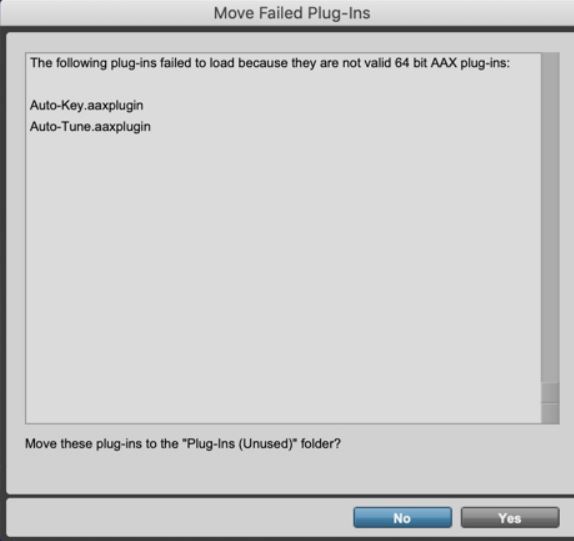
To resolve this issue, please follow the steps below:
-
Manually uninstall Auto-Tune Pro 9.1.
-
To perform a manual uninstall, go to these locations on your hard drive and delete any Auto-Tune Pro plugin files you find there:
- macHD/Library/Audio/Plug-Ins/Components
- macHD/Library/Application Support/Avid/Plug-Ins/Antares Audio Technologies
- macHD/Library/Application Support/Digidesign/Plug-Ins
- macHD/Library/Audio/Plug-Ins/VST3
- macHD/Library/Audio/Plug-Ins/VST
- Very important: please make sure to only delete Auto-Tune Pro components, and not other plug-in components.
-
To perform a manual uninstall, go to these locations on your hard drive and delete any Auto-Tune Pro plugin files you find there:
- Restart your computer.
- Install Auto-Tune Pro 9.1. You can find the installer package here.
Auto-Tune Pro 9.1 should now be ready to use. Re-open Pro Tools and let it scan for plug-ins.
Comments
0 comments
Article is closed for comments.